June 12th, 2026
Improved
Fixed
Remote Access

Remote Access version 19.30.6.12 brings an important security update and several fixes to improve stability and installation.
We updated the OpenSSL library to version 3.0.21. This helps protect your system with more recent security standards and fixes known vulnerabilities.
We fixed an issue where local accounts were not always correctly synchronized to application servers. Account synchronization should now work more reliably across your farm.
We fixed a problem where some required components, such as .NET Framework, were not installed when using silent mode. Silent installations should now complete properly without missing prerequisites.
We removed a previous improvement related to Active Directory domains using different DNS and NetBIOS names. This change was causing performance issues in some environments, so reverting it helps restore normal performance. Stay tuned for the definitive fix!
Have an idea or issue? To ensure your feedback is properly tracked and addressed, please use our dedicated channels: Support for issues and Feedback for feature requests. Thank you for helping us improve!
June 9th, 2026
Improved
Fixed
Remote Access
LTS

TSplus Remote Access v19.30.9.6 improves support for Active Directory domains with different DNS and NetBIOS names.
This release also includes a fix for a previous compatibility issue for Windows 10 21H2, 22H2 on x86 machines released February 10th, 2026.
All available compatibility updates have been included into TSplus LTS 18 v18.2026.6.9 and TSplus LTS 17 v17.2026.6.9.
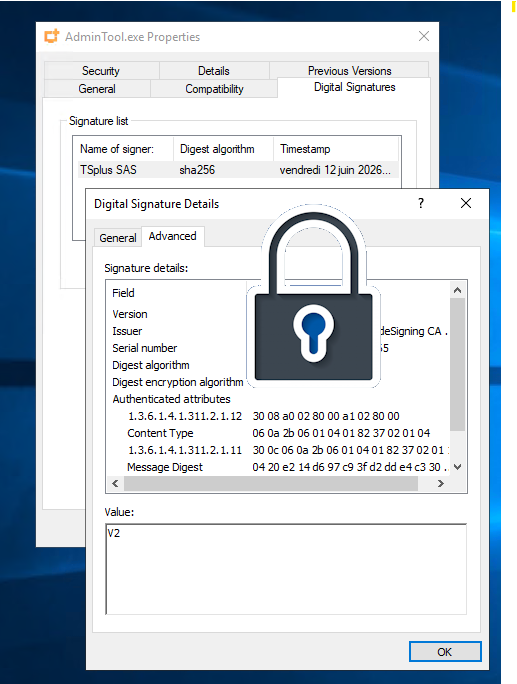
TSplus LTS 17 v17.2026.6.9 now embed Connection Client version 108 which now sign RDP file used to start the connection to your server, whether from a .connect file, or by selecting the “remoteapp“ display mode from your Remote Access web portal.
This RDP signing mechanism has been added to comply with Microsoft new security policy regarding un-signed RDP usage. More information at:
Have an idea or issue? To ensure your feedback is properly tracked and addressed, please use our dedicated channels: Support for issues and Feedback for feature requests. Thank you for helping us improve!
June 4th, 2026
Fixed
Remote Access

With this new version, TSplus Remote Access stays compatible with latest Windows preview updates.
Also, we fixed the Manage 2FA Requests screen not displaying the failed connection attempts correctly in some regions.
At last, on application assignments interface: when assigning applications to servers (instead of users), application launchers are now hidden, to remove confusion.
Have an idea or issue? To ensure your feedback is properly tracked and addressed, please use our dedicated channels: Support for issues and Feedback for feature requests. Thank you for helping us improve!
May 21st, 2026
Improved
Remote Access

Remote Access v19.30.5.21 embed Connection Client V127 which now sign RDP file used to start the connection to your server, whether from a .connect file, or by selecting the “remoteapp“ display mode from your Remote Access web portal.
This RDP signing mechanism has been added to comply with Microsoft new security policy regarding un-signed RDP usage (more information here: https://learn.microsoft.com/en-us/windows-server/remote/remote-desktop-services/remotepc/understanding-security-warnings), showing 2 new warning popups otherwise.
However, simply signing the RDP file to be used is not enough to remove these warnings, as you will also need to:
install our new RDP signing certificate in the "Trusted Root Certification Authorities" store
register the thumbprint of the certificate as a trusted .rdp publisher (this requires to be an admin)
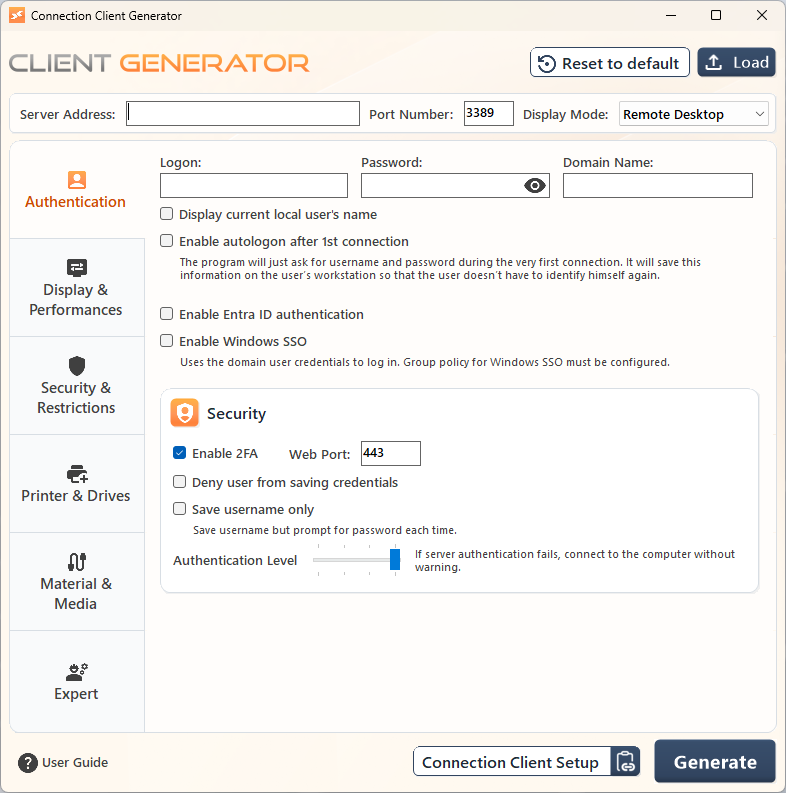
Both action are done by the Connection Client setup via the following new page, when clicking on the “Configure now (requires admin)“ button.

This configuration only needs to be done once.
You won’t be asked to install the certificate next time you install the Connection Client, unless we renewed our RDP signing certificate, which should be every 5 year.
Important:
The RDP signing certificate installation page does not appear when you install the connection client "for all users" since this mode starts the setup as an admin, making us able to automatically install and register the certificate without needing to ask the user to elevate as an admin.
The .rdp file signing processing, done the first time a new .connect is launched, is done remotely by our licenseapi.dl-files.com server.
The certificate itself is also being downloaded by the setup connectionclient on https://licenseapi.dl-files.com/cert/signer.crt
As a result, your workstation must be allowed to contact licenseapi.dl-files.com on port 443.
Have an idea or issue? To ensure your feedback is properly tracked and addressed, please use our dedicated channels: Support for issues and Feedback for feature requests. Thank you for helping us improve!
May 13th, 2026
Fixed
Remote Access

We fixed an issue in Remote Access version 19.30.5.13 that could cause RemoteApp programs to display incorrectly and affect printing with the Universal Printer. Everything should now appear and print as expected.
Have an idea or issue? To ensure your feedback is properly tracked and addressed, please use our dedicated channels: Support for issues and Feedback for feature requests. Thank you for helping us improve!
May 13th, 2026
Improved
Fixed
Remote Access

TSplus Remote Access 19.30.5.12 consolidates all improvements and fixes from prior releases, hardens security, and adds streamlined deployment options for the Virtual Printer.
The Virtual Printer is a major TSplus Remote Access feature that allow to print jobs from a remote session and redirects them to the local printers, eliminating physical printer dependencies in virtual environments. As a result, each local printer is mapped to a corresponding virtual printer in the RDP session.
This new MSI installer simplifies enterprise deployment by enabling silent installations via Group Policy, SCCM, or scripts, reducing administrative overhead and ensuring smooth Virtual Printer client rollout across multiple machines.
To install: msiexec /i Setup-VirtualPrinter-Client.msi /qb-
To uninstall: msiexec /x Setup-VirtualPrinter-Client.msi /qb-
Have an idea or issue? To ensure your feedback is properly tracked and addressed, please use our dedicated channels: Support for issues and Feedback for feature requests. Thank you for helping us improve!
Providing MSI installer for VirtualPrinter client (available in tsplus\UserDesktop\files\addons folder).
Improved HTTPS redirection configuration: when the HTTPS port is changed, HTTP to HTTPS redirection will now update automatically to the correct port, preventing client connection errors after port modifications.
Compatibility: TSplus is compatible with Windows 11 26H1 latest preview updates, maintaining seamless operation on cutting-edge OS builds.
HTML5 (v8.89): It is now possible to disable old TLS protocols or ciphers by server instance (see FAQ: /software/html5/faq.html#answer_72), offering granular security control per deployment.
HTML5 (v8.89): For forwarded RDP connections, the iterations of TLS detection can be limited by setting ssl_rdp_underflow_max_iterations parameter in settings.bin (default: 10), optimizing performance in high-latency scenarios.
HTML5 (v8.89): Security improved by strengthening control over X-FORWARDED-FOR header misuse, mitigating potential proxy-based attacks.
Fix vulnerability by updating the log4net dependency to version 3.3.1, addressing known security issues in the logging library.
Fixed regression with "All users" applications assignation, ensuring reliable group-based app distribution across sessions.
Connection Client (v126): Hardened the update mechanism to avoid occasional update failures, ensuring reliable auto-updates for end-users.
Admin Tool > Advanced: Changing a configuration from one custom value to another is now correctly handled, preventing data loss during tweaks.
Admin Tool: Preventing exception when restarting Web Server, enabling smooth service restarts without crashes.
April 15th, 2026
Improved
Fixed
Remote Access

With this version, we have put a strong focus on performance, especially for large-scale systems.
As a reference, we always kept in mind the use case of “100 servers - 1000 applications”.
The goal is to ensure great performance under such conditions.
Now, for users who have 1000 applications assigned, opening a session is smooth.
Also, a fix has been implemented for Floating Panel and Application Panel, with adding scrollbars when assigned apps are too numerous to be all displayed in the form.
A new Performance section has been added under Advanced Settings:
“Disable Per user services” and “Enable high FPS frame rate” are existing settings, moved from Sessions > Session Management settings
"Prefer hardware GPU" is an existing advanced setting, originally in "Session" section
“Enable Application Assignation cache” greatly improves performance for users with many assigned applications. The default value is “Let the system decide” (it enables caching automatically when more than 25 applications are used in Remote Access) but you can set it to “yes” or “no”
Other settings may improve performance in certain cases, depending on how your servers are used. Please read each setting’s description carefully before modifying its values
Here is the full changelog from the last 2 versions (v19.4.9 and after)
Connection client: added missing langs for translations
Compatibility: TSplus is compatible with Windows 11 26H1 latest preview updates
HTML5 (v8.88): added an option to allow raw HTTP traffic for specific web paths + introduced support for forwarding TLS traffic to a target server
Admin Tool: added a new Performance section in Advanced Settings
Drastically improved login performance for users with large number of applications assigned
Compatibility: TSplus is compatible with Windows Server 2025 latest updates
Web Server: Preventing HTML5 server to be launched multiple times
Web Server: Enhancing mechanism for Java update
Web Portal : Fixed command line parameter injection for Web RemoteApp
AdminTool: fixed non administrators are able to run AdminTool if UAC is disabled on Windows Server 2025
Floating Panel: added scrollbar to display all applications
Application Panel: added scrollbar to display all applications
Thank you for reading this changelog, and thank you for the feedback you regularly provide ; it makes our products better and gives you a better experience!
March 10th, 2026
Remote Access

Web Portal 2026 with SSO is now available as a beta feature. Try it now from AdminTool > Web > Web server, check “Enable Web Portal 2026 for SSO” option and click “Save ans Restart Web server” to apply the change. We are eager to hear your feedback!
Important: This feature is Beta and should not be deployed on production servers.
Compared with the previous Web Portal, this implementation provides higher reliability and better performance under load. Plus, it allows:
Advanced SSO capabilities, supporting Windows Integrated Authentication (Negotiate / Kerberos / NTLM) and third-party identity provider integration (currently SAML)
Stronger security controls, with built-in anti-forgery protections, endpoint rate limiting and modern authentication and cookie/session controls
Its architecture will allow us to easily address any potential security audit feedback. It is also a more accessible product through recommendations and improved contrast.
More details, limitations and scenarios at
https://docs.tsplus.net/tsplus/web-portal-with-sso
We aim to deliver a better printing experience through our Remote Access solution. To that end, we are rolling out a series of targeted improvements designed to enhance the usability of both Universal Printer and Virtual Printer. Here are the first enhancements we are releasing:
A dedicated advanced settings section for the Universal Printer
The installed version of Virtual Printer is displayed on the AdminTool > Printer page
Thank you for your continued trust in TSplus Remote Access. We sincerely appreciate you taking the time to read this and keep pushing it forward with us!
February 24th, 2026
Remote Access

The Web Credentials feature now includes automatic synchronization of local configuration files to a shared remote folder.
This enhancement is particularly useful for large organizations running multiple TSplus Remote Access farms. It ensures consistent user authentication configurations across all servers of the farms, eliminating manual file management and reducing configuration drift between environments.
Web Credentials let you simplify and secure remote access by allowing users to sign in with a business-specific identifier, such as their email address or a PIN code, instead of a Windows username and password.
This approach hides the underlying Windows account details, reducing exposure and simplifying the login process for end users.
See https://docs.tsplus.net/tsplus/web-credentials
TSplus Remote Access is now fully compatible with the latest versions of Windows 11, including editions 26H1, 25H2, and 24H2 preview builds.
Fixed an issue where the AdminTool would occasionally close a few seconds after launch on specific system configurations.
December 24th, 2025
Improved
Fixed
Remote Access

Security: updated OpenSSL library to version 3.0.18
Universal Printer: added advanced setting for enabling extended characters in filename
HTML5: added feature to check browser reconnection
HTML5: added feature to prohibit mismatching rdp sessions with expected id.
Universal Printer: fixed several issues including application crash when processing print jobs
AdminTool: fixed translation issues (too many "->" occurrences in arabic, persian, finnish, korean, ukrainian and polish translations)
Floating Panel / Application panel: fixed opening applications with spaces in parameters