Post-Installation Success & Quick Start Guide

To enhance the user onboarding experience and reduce initial support queries, I would like to propose a new feature request for our product installation process.
The Proposal:
Once a user successfully completes the TSplus installation, they should be automatically redirected to a dedicated landing page (similar to the attached screenshot). This page will serve as a Quick Reference Guide to help users get started immediately without any confusion.
Key Elements to Include on the Page:
Success Confirmation: A clear, prominent message stating "The installation was successful."
Video Tutorial: An embedded short overview or "Getting Started" video.
Quick Links/Tabs: Easy navigation tabs for User Guide and FAQ.
Essential First Steps: Direct links to core configurations, such as:
Getting Started with TSplus
Configure Remote Access
Manage Users & Permissions
Publish Applications
Monitoring & Reports
Resource Footer: Quick links to our Knowledge Base, Community Forum, Downloads, and Support Contact.
Why this will help:
Improved User Experience (UX): Users get instant guidance right when they need it most.
Many basic configuration questions (like user creation or app publishing) can be solved upfront by this guide.
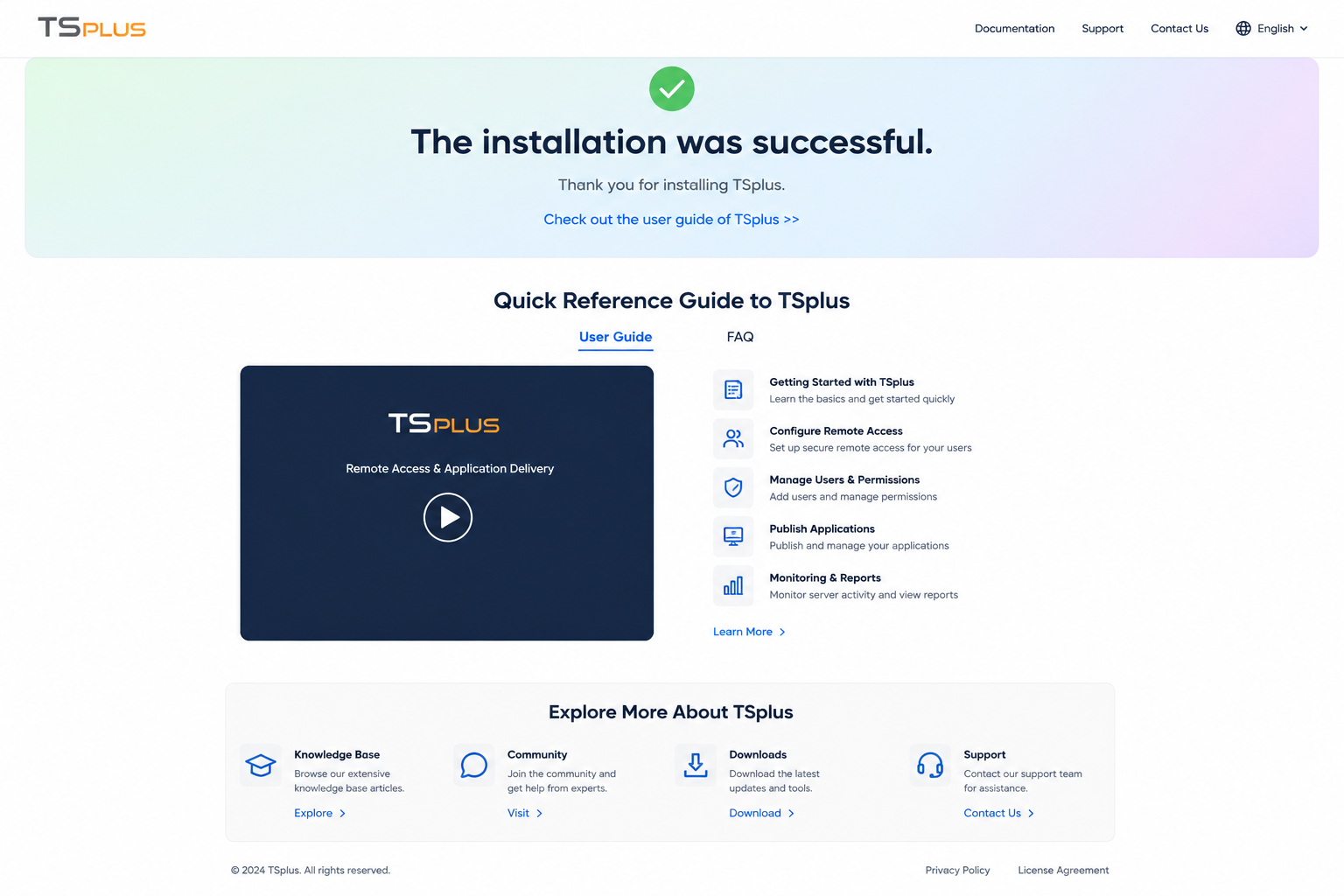
It highlights core features of TSplus immediately after installation.
I have attached a reference image showcasing the layout and structure for your review
Thank you for considering this feature request
Log in to comment and vote
Comments2
Eléana Pace
Jul 17
Hi @akash.pratap@tsplus.net
Thank you for your suggestion. We could rework on the lite mode to make it even more simple! We will also discuss this with web and marketing teams to improve the onboarding.
akash.pratap@tsplus.net
Aug 12
@Eléana Pace Thank you so much