Request for Improvements in User and Application Assignment Features

Dear Team,
We would like to highlight a couple of issues observed in the current version:
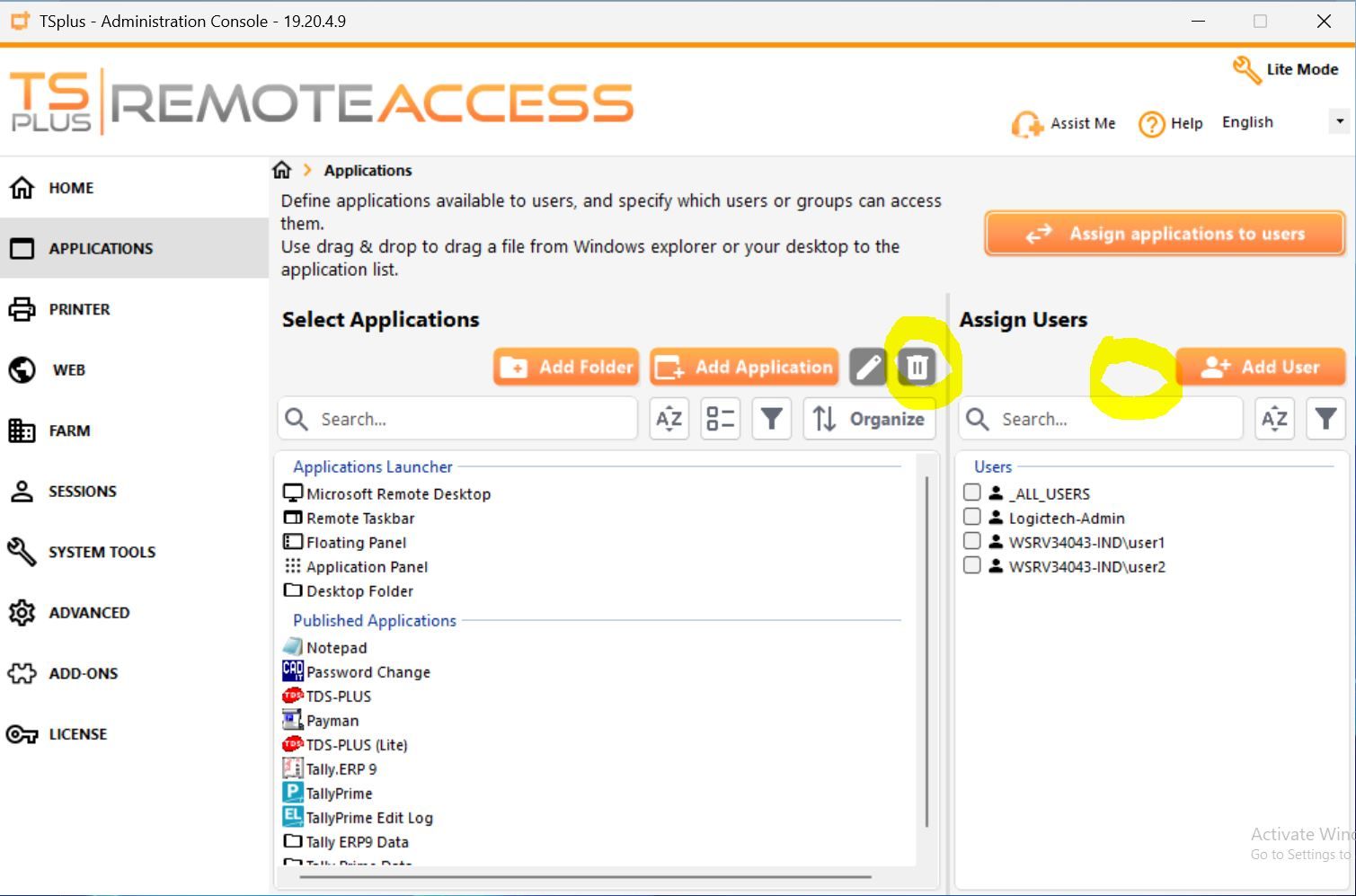
In the user adding window, once a user is selected, there is no option available to remove or delete that user from the screen. As a result, the selected user continues to remain visible without any way to modify the selection.
However, this limitation is not present in the application assigning window, where applications can be both selected and removed as required.
In the application assigning window, the option to change the sequence/order of applications has been removed. Previously, in older versions, we were able to move applications up or down based on priority, but this functionality is no longer available.
Log in to comment and vote
Comments2
Eléana Pace
Apr 14
Hi @support
The users panel shows users who have applications assigned. To remove an user, simply uncheck all their assigned applications. When you return to this screen, the user will no longer be visible.
The reordering functionality has been modified but remains accessible. You can enable the “Organize” mode to rearrange your applications using drag & drop.
support
Apr 14
thanks a lot